Introducing Our New TPRM Dashboard
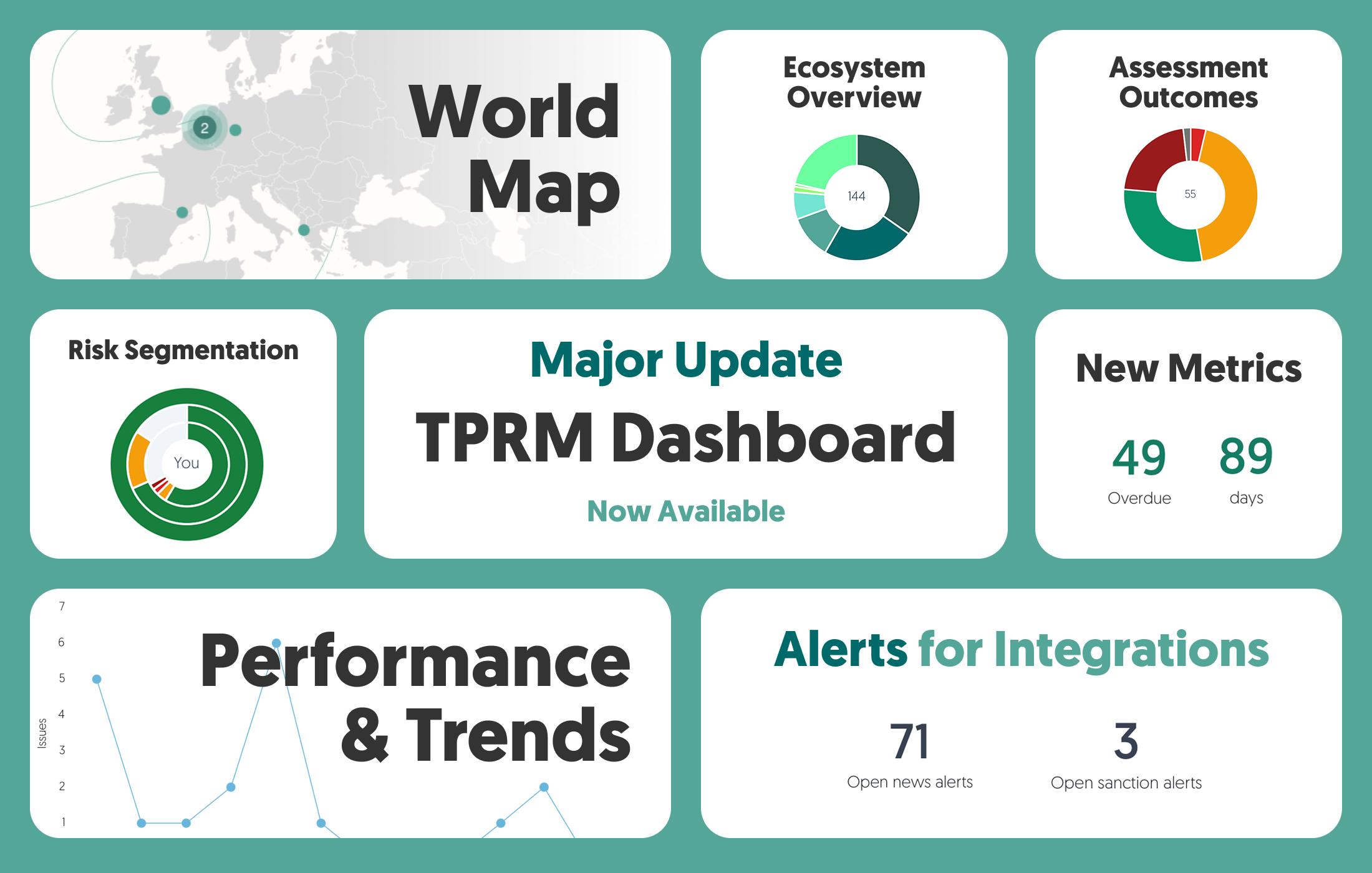
We're excited to introduce our completely redesigned TPRM Dashboard—a major upgrade that transforms how you view third-party risk in the platform! The new dashboard provides a crystal-clear, interactive overview, helping you focus on what truly matters—managing risk effectively, not hunting for information.
Click here to watch our new product update video, or continue reading below to learn more.
New Features
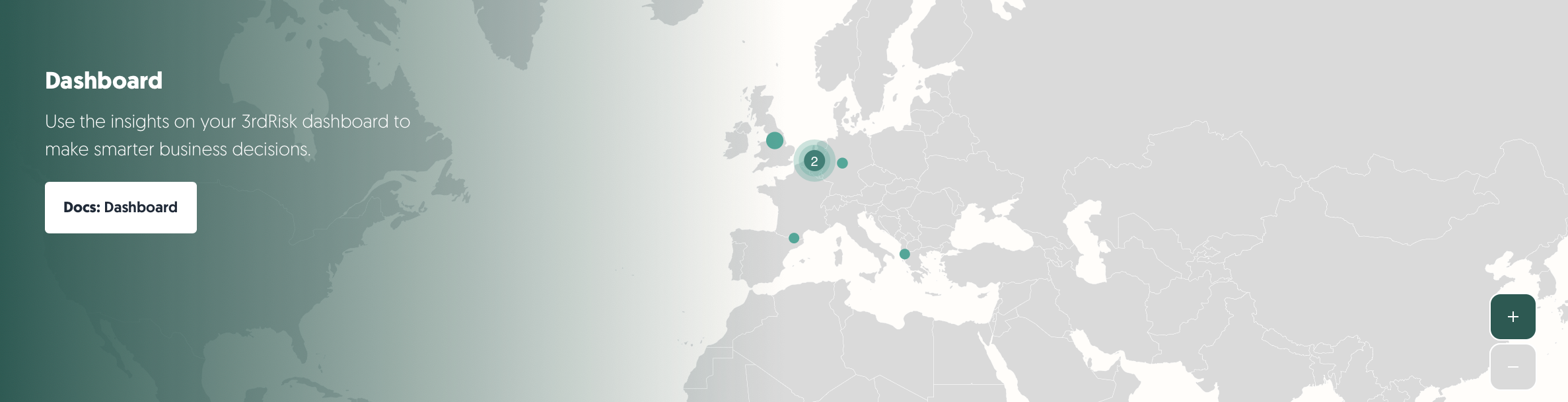
World Map: Our new world map visualization displays all your third-party locations based on the country data you have provided.
Click to zoom in on densely populated areas or use plus/minus buttons for manual control
Move around the map by clicking and dragging
Select any country to instantly go to and filter the third-party catalog by that location

Overview & Strategic Insights: View your ecosystem segmented by third-party types (vendors, suppliers, and other categories) and the amount of active contracts.
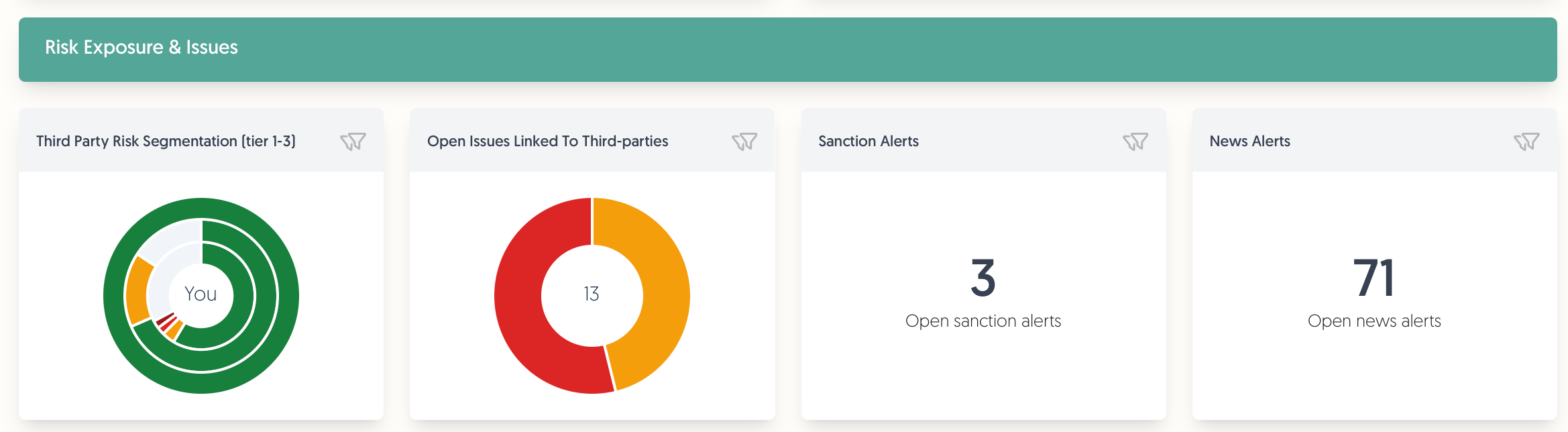
Risk Exposure & Issues: Monitor risk exposure and issues linked to your third parties.
Third-Party Risk Segmentation: Visualize your ecosystem with concentric rings representing tiers.
Your organization at the center
Tier 1 (direct partners) in the first ring
Tier 2 and Tier 3 third parties in outer rings
Click any segment to access the filtered catalogue with those specific third parties
Open Issues Linked To Third Parties: Monitor open issues with categorization by criticality.
View issues categorised by criticality at a glance
One-click access to filter issues by the selected type
Monitoring Alerts Integrations: Direct access to critical monitoring information from our sanctions monitoring add-on and integrations like Business Radar.
Click to filter the catalog to find the third parties to which these alerts apply
Risks Linked To Third Parties: Comprehensive visualization of risks by domain, owner, and severity.
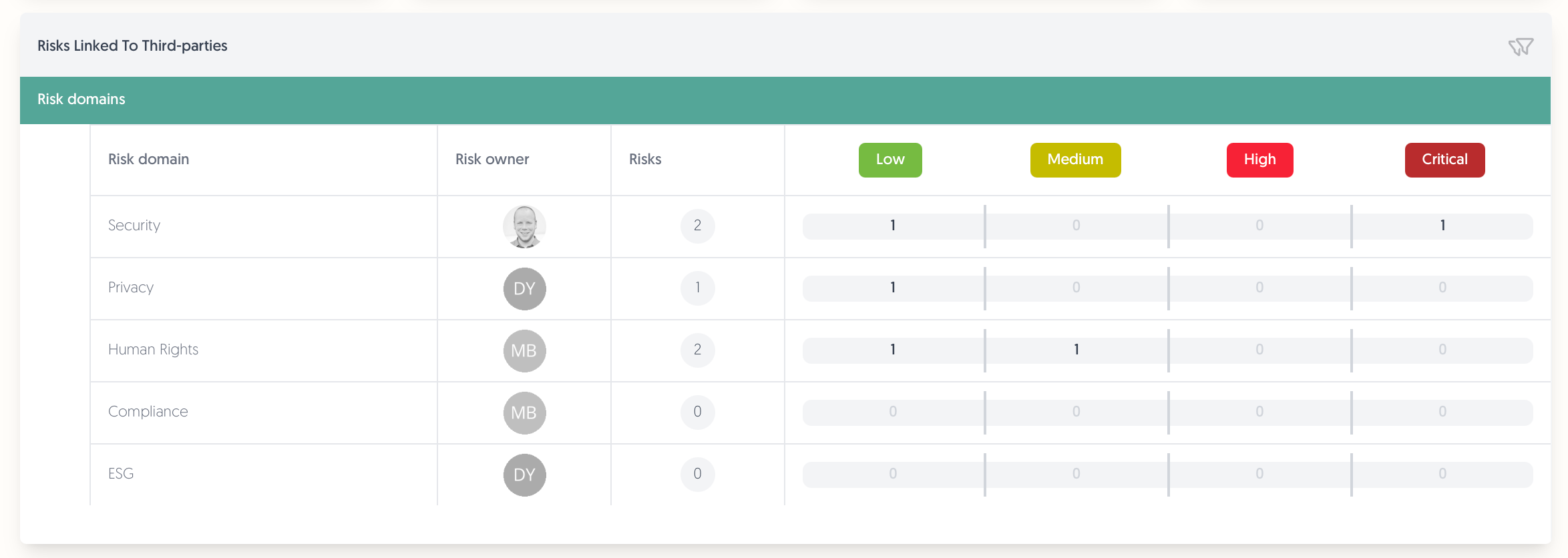
Quickly identify critical risk areas requiring immediate attention
Track risk distribution across your risk domains in your third-party ecosystem
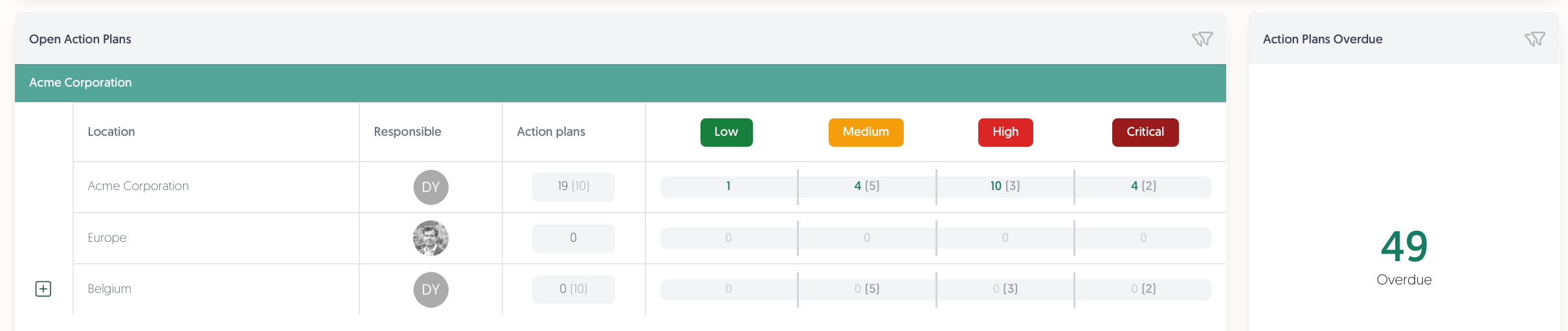
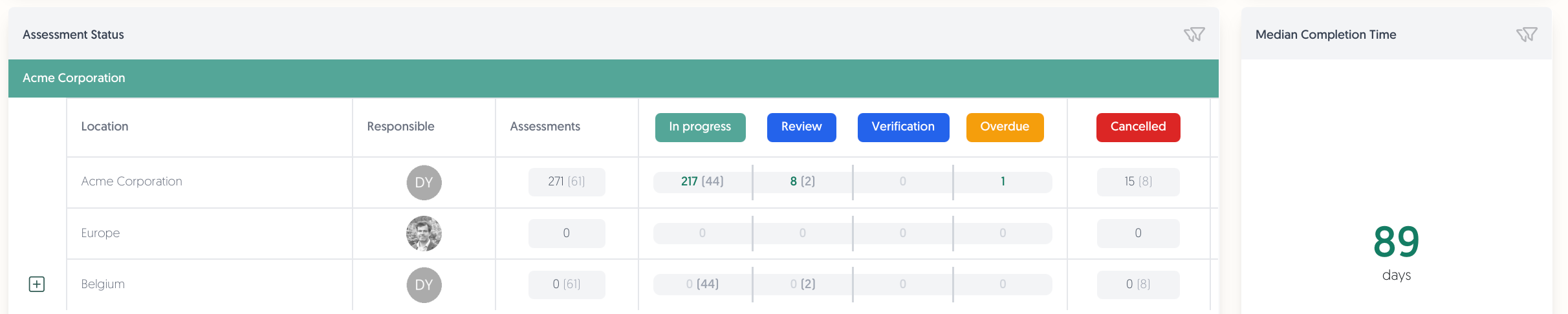
Operational Metrics: Track your actionable ecosystem items like your action plans and assessments.
Open Action Plans: Track open action plans by organizational location.
View a hierarchical breakdown by organisation elements in your organisation model
Separate counts for location-specific action plans and sub-element action plans
Immediate visibility of overdue action plans
Assessment Status: Monitor assessment progress with status categories.
This enables quick identification of bottlenecks in your assessment process
Median Completion Time: New metric showing assessment speed.
Track the median time from the moment your assessment is sent out to completion
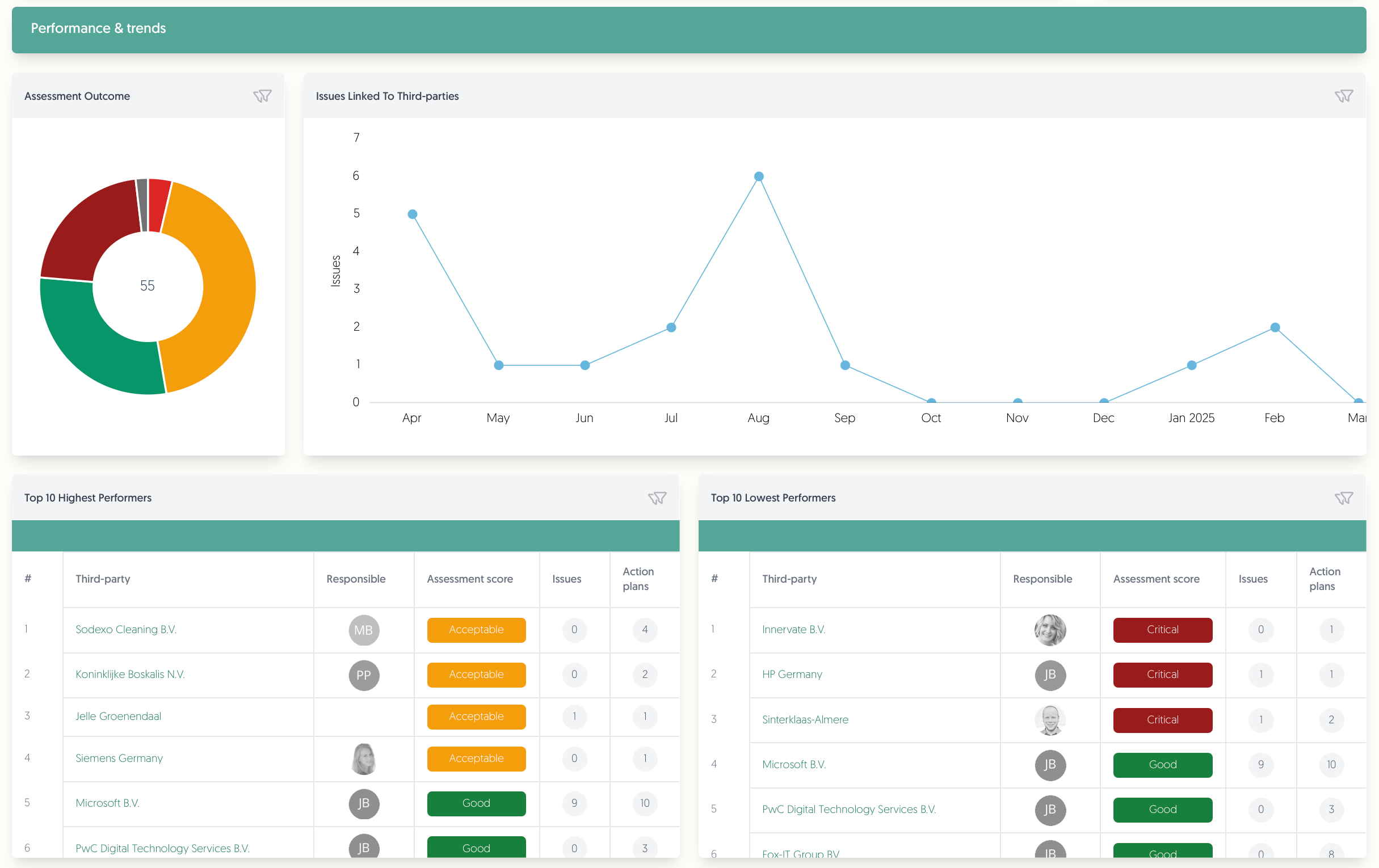
Performance & Trends: Identify trends, track performance, and find outliers.
Assessment Outcome: The results of all the assessments you’ve performed.
Issues Linked To Third-parties: A brand new graph of the amount of issues linked to your third parties per month.
Top 10 Highest and Lowest Performers: View your best and worst performing third parties according to the most recent assessment result.
Filters
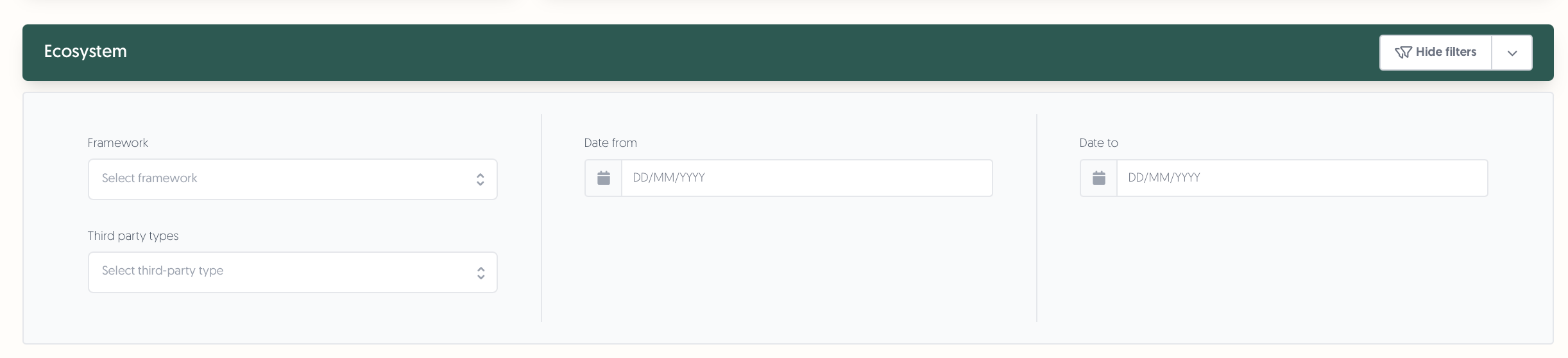
New Filters: Customize your dashboard view with new filtering options:
Framework
Third-party type
Date ranges
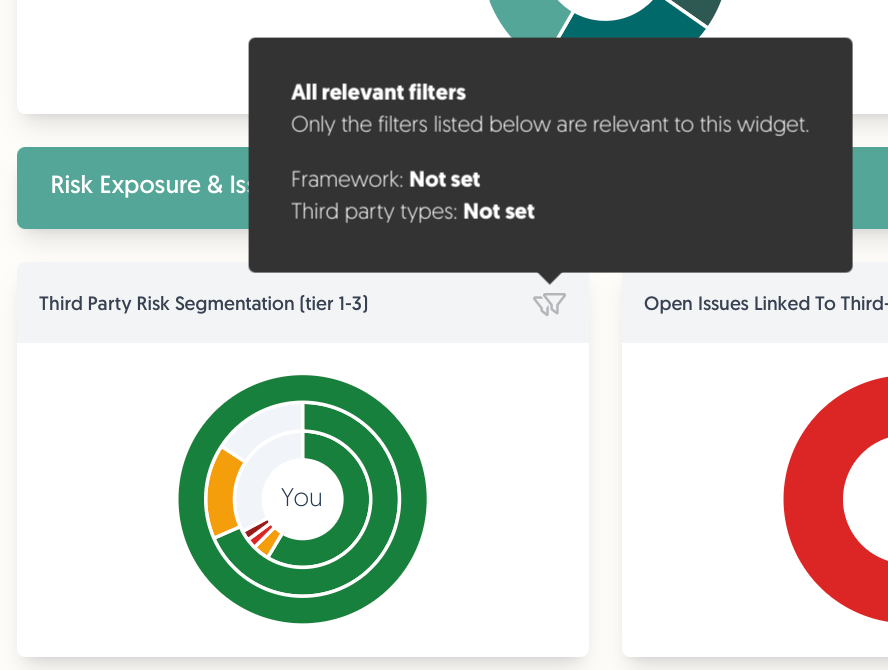
Simply hover over a widget’s filter icon to view what filters apply to it, as well as whether any of them are currently active.
Learn More in our Help Center
We have refreshed our dashboard documentation with the launch of this new TPRM dashboard. If you want a deep dive into the new features, or have some unanswered questions, this new documentation is for you! You can find it using the Docs: Dashboard button at the top of the dashboard, or go there directly using this link: